HOME SKILLS BLOG GITHUB
// SKILL

IMAGE OPTIMIZATION
ANALYSIS

Image SEO optimization is the process of making visual assets discoverable, accessible, and fast without sacrificing useful quality. Claude SEO audits alt text, file sizes, WebP and AVIF use, responsive sources, lazy loading, LCP priority, layout stability, filenames, and CDN delivery.

By Daniel Agrici · Last updated: · Source: Google image SEO best practices

$
/seo images https://your-site.com

REQUIRES CLAUDE SEO INSTALLED IN CLAUDE CODE

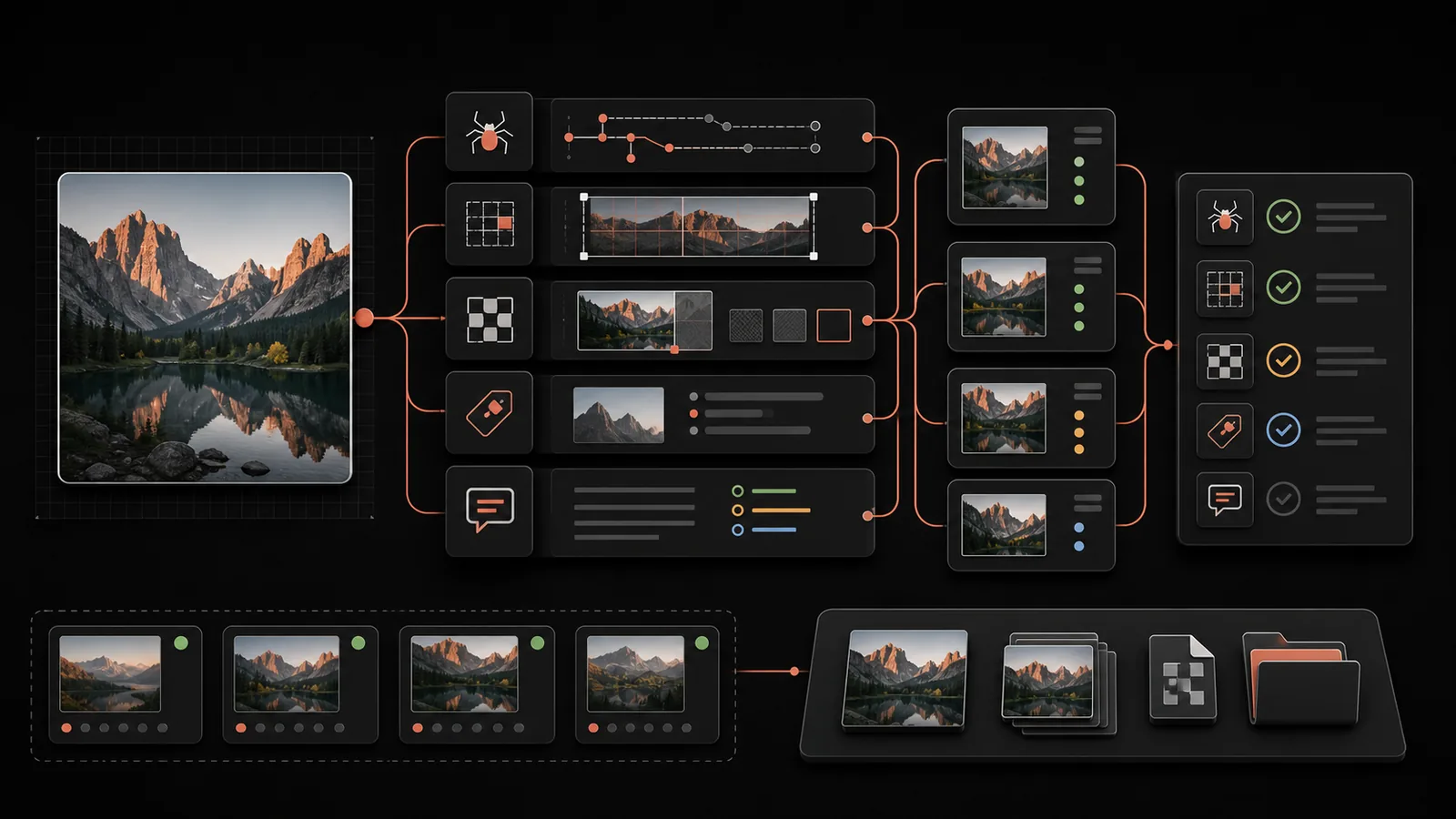
Claude SEO image optimization analysis
// HOW IT WORKS

What does an image SEO audit check?

When you run /seo images, Claude SEO fetches the page, finds every <img> element, and runs 8 categories of checks against each one. The output is sorted by file size impact so you fix the biggest wins first.

The audit covers both SEO signals (alt text, file names, schema) and performance signals (file size, format, lazy loading, CLS prevention). Images behind CDNs or authentication are noted with available metadata reported.

/seo images <url> Fetch page, find all <img> ALT TEXT 10-125 chars FILE SIZE Tiered thresholds FORMAT WebP / AVIF RESPONSIVE srcset + sizes LAZY LOADING Below-fold only CLS PREVENTION width + height FILE NAMES Descriptive, hyphenated CDN USAGE Edge caching PRIORITIZED OPTIMIZATION LIST Sorted by file size impact (largest savings first)

What each check covers

Every image on the page is evaluated across 8 dimensions. The output table is sorted by estimated file size savings so you can prioritize the changes with the biggest performance impact.

ALT
ALT TEXT AUDIT
Checks that informative images have useful alternatives and decorative images use empty alt text. Flags filenames and keyword stuffing, but does not impose a universal character count.
3
FILE SIZE TIERS
Uses configurable size bands to prioritize unusually heavy thumbnails, content images, and hero assets. Actual budgets should reflect visual quality, viewport size, format, and performance measurements.
5
FORMAT ANALYSIS
Checks modern and traditional formats, then recommends suitable fallbacks when the audience or browser matrix requires them. Format choice should be based on measured size and visual quality.
srcset
RESPONSIVE IMAGES
Verifies srcset attribute for multiple sizes, sizes attribute matching layout breakpoints, and appropriate resolution for device pixel ratios. Ensures images are not oversized for their display containers.
LCP
LAZY LOADING
Checks lazy loading for offscreen images and flags a likely LCP image that is lazy-loaded. Reviews fetch priority and decoding hints, which should be validated in a performance trace rather than applied to every image.
CLS
CLS PREVENTION
Flags images without a reserved aspect ratio. Explicit dimensions or equivalent CSS usually let the browser reserve space, reducing one common source of layout shift.
// OUTPUT

What does the image report include?

The image audit produces a summary table showing total images found, counts of issues by category, and a prioritized optimization list sorted by estimated file size savings.

Image audit summary

MetricWhat it tracks
Total imagesAll img elements on the page
Missing alt textImages without descriptive alt attributes
Oversized (above 200KB)Images exceeding size thresholds for their category
Wrong formatJPEG/PNG images that should be WebP or AVIF
No dimensionsImages missing width/height or aspect-ratio
Not lazy loadedBelow-fold images without loading="lazy"

Prioritized optimization list

Each image is listed with its current size, format, detected issues, and estimated savings if optimized. The list is sorted by file size impact so the biggest performance wins appear first. Recommendations include specific format conversions, compression targets, and code fixes.

Format recommendations

The recommended picture element pattern uses progressive enhancement:

<picture>
  <source srcset="image.avif" type="image/avif">
  <source srcset="image.webp" type="image/webp">
  <img src="image.jpg" alt="Descriptive alt text"
       width="800" height="600"
       loading="lazy" decoding="async">
</picture>
// USAGE

How do you run an image audit?

Step 1: Install Claude SEO

git clone --depth 1 https://github.com/AgriciDaniel/claude-seo.git
bash claude-seo/install.sh

Step 2: Run the image audit

/seo images https://your-site.com

Claude SEO fetches the page, finds every img element, and analyzes all 8 dimensions. The output includes a summary table and a prioritized optimization list sorted by estimated savings.

File naming best practices

The audit also checks file names. Good image file names are descriptive, hyphenated, lowercase, and include relevant keywords. For example, blue-running-shoes.webp is preferred over IMG_1234.jpg.

// FAQ

QUESTIONS ABOUT IMAGE OPTIMIZATION

Claude SEO compares WebP, AVIF, JPEG, PNG, and SVG according to image type, measured bytes, quality, transparency, animation, and the site's browser requirements. A modern format is useful only when it produces a suitable result for the intended audience.
// RELATED SKILLS

EXPLORE MORE

VIEW ALL 25 SKILLS →

// RELATED GUIDE

Read Google Images SERP Analysis and Image Optimization in v1.8.1 for a complete walkthrough of the new image SEO features.

OPTIMIZE YOUR IMAGES
IN SECONDS.

$
git clone --depth 1 https://github.com/AgriciDaniel/claude-seo.git && bash claude-seo/install.sh
VIEW ON GITHUB ALL SKILLS >